 Nokia G-140W-MH ONT: Features, Specs & Performance Guide
23 Mar, 2026. Posted by:XPONSHOP
Most Views Posts
Deploying server virtualization high density network interface in Datacenters: 8 Critical Layer 3 Routing Questions
2026-06-16 15:30:50
Guest Wi-Fi 6 ONT Setup FAQ: Expert Answers to Network Integration & Configuration Questions
2026-09-15 11:02:52
Overcoming Network Bottlenecks: Enterprise Configuration Manual for Disabling TR-069 Auto-Update Features to Prevent Firmware Changes Mid-Workday
2026-09-29 09:34:22
Managing OEM GPON ONUs: Cisco EPN Manager Compatibility FAQ
2026-09-30 10:44:15
Troubleshooting ONT: Optical Interfaces, Stacking Errors & L3 Protocols
2026-09-08 10:37:33
Popular Posts
Carrier-Grade Routing Reliability: Evaluating Dual-Engine Redundancy in Replacing Dead OLT Control Boards
2026-09-03 10:19:41
Carrier Ethernet Technical Standard Compliance Register: How to Configure VLAN Trunking on Core Router
2026-06-05 16:46:19
Troubleshooting Core Switch Connection Drops: Optical Interfaces, Stacking Errors & L3 Protocols
2026-06-04 15:37:00
Random Posts
Aggregation Switch Dynamic Buffer Management for Microburst Absorption - Official Technical Overview & Hardware Datasheet
2026-10-10 10:40:19
The Ultimate Guide to Smart Home ONT: Architecture, Backplane Bandwidth, and Deployment
2026-08-25 10:20:52
Generic XPON ONU Triple-Play Service Mapping on FiberHome AN5516 OLT Systems - Official Technical Overview & Hardware Datasheet
2026-08-12 11:43:05
Recent Posts
AI Optical Transceivers vs. Telecom Optical Transceivers: Two ‘Personalities’ of the Same Component
2026-10-30 11:30:33
Overcoming Network Bottlenecks: Enterprise Configuration Manual for Nintendo Switch NAT Type D Resolution
2026-10-30 10:06:06
Cisco Business 350 Series Managed Switch Physical Security and Power Efficiency - Official Technical Overview & Hardware Datasheet
2026-10-30 10:03:46
About
XponShop blog describes some basics for Huawei / ZTE /
Nokia / FiberHome GPON OLT, ONT, SFP, and Site Power...
such as configurations, issue troubleshooting, knowledge
sharing, and keeps updating.
Recent posts
 AI Optical Transceivers vs. Telecom Optical Transceivers: Two ‘Personalities’ of the Same Component
27 Mar, 2025
 Overcoming Network Bottlenecks: Enterprise Configuration Manual for Nintendo Switch NAT Type D Resolution
27 Mar, 2025
 Cisco Business 350 Series Managed Switch Physical Security and Power Efficiency - Official Technical Overview & Hardware Datasheet
27 Mar, 2025
AI Optical Transceivers vs. Telecom Optical Transceivers: Two ‘Personalities’ of the Same Component
27 Mar, 2025
Overcoming Network Bottlenecks: Enterprise Configuration Manual for Nintendo Switch NAT Type D Resolution
27 Mar, 2025
Cisco Business 350 Series Managed Switch Physical Security and Power Efficiency - Official Technical Overview & Hardware Datasheet
27 Mar, 2025
Products from the blog
What is the Nokia G-140W-MH? Defining GPON ONT Standards
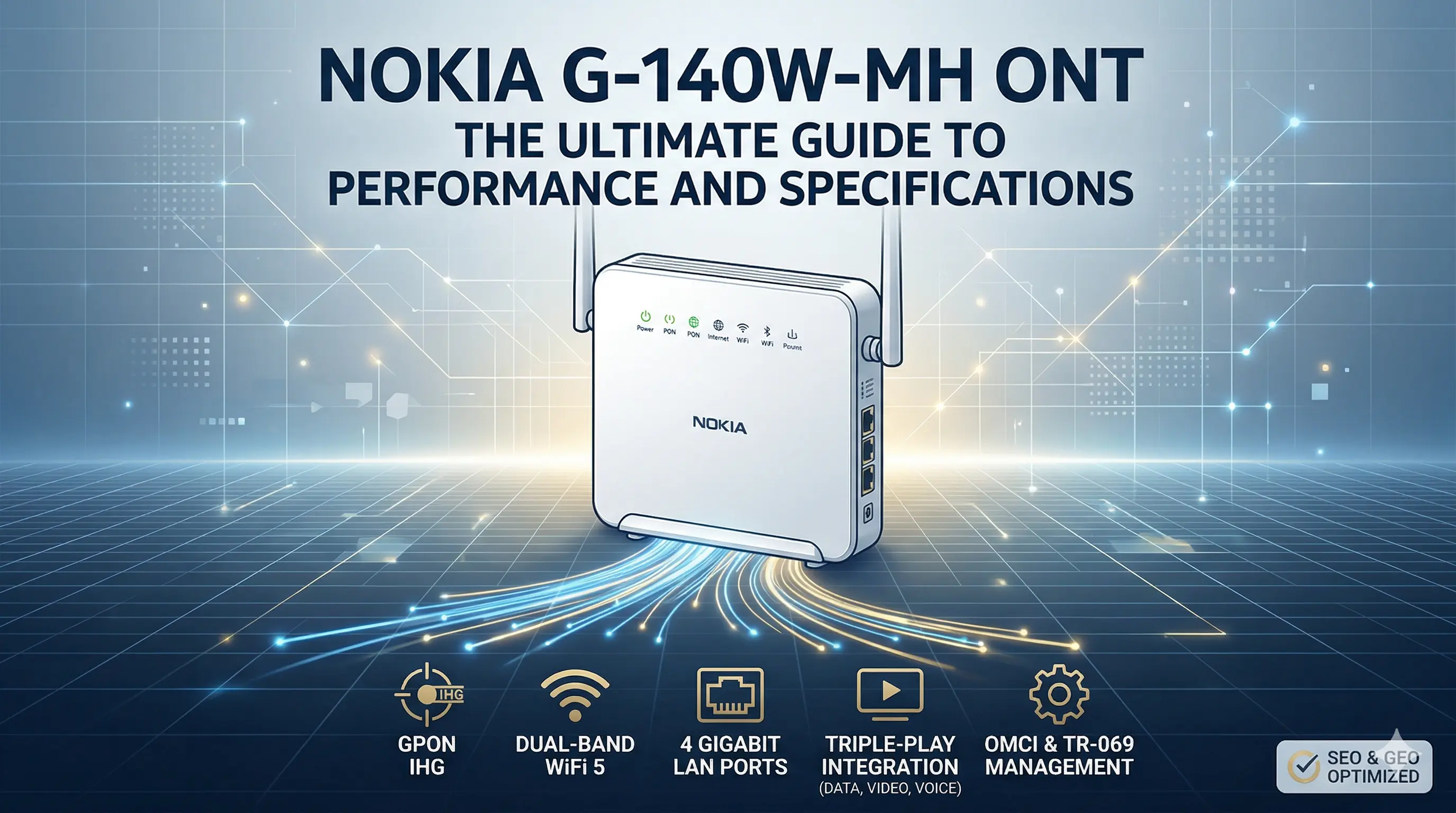
The Nokia G-140W-MH is an Optical Network Terminal (ONT) that functions as the endpoint of a GPON network. Unlike traditional modems, an ONT translates optical signals from a fiber optic cable into electrical signals that your household devices can understand. The "G" series from Nokia is globally recognized for its interoperability and carrier-grade reliability, making it a staple for Tier 1 ISPs.
The Role of GPON in Modern Connectivity
GPON (Gigabit Passive Optical Network) operates under the ITU-T G.984 standard, offering a shared downstream capacity of 2.488 Gbps and an upstream capacity of 1.244 Gbps. The G-140W-MH is engineered to extract maximum efficiency from this shared medium through sophisticated Dynamic Bandwidth Assignment (DBA). This ensures that even during peak usage hours, mission-critical traffic remains prioritized.Triple-Play Integration
A defining feature of the G-140W-MH is its support for Triple-Play services. By integrating Voice over IP (VoIP), high-definition IPTV, and high-speed internet into a single chassis, it reduces the "device sprawl" often found in home networking closets. This integration is not just a convenience; it significantly reduces the Total Cost of Ownership (TCO) for service providers by minimizing the number of truck rolls required for installation and maintenance.
Technical Architecture and Hardware Specifications
The hardware design of the Nokia G-140W-MH is optimized for thermal efficiency and signal integrity. As a B2B professional, understanding the port density and internal processing power is vital for evaluating its role in a network.
Physical Port Configuration
The device is equipped with a versatile array of interfaces:
1x GPON Port (BOSA): High-sensitivity optical receiver for long-distance link budgets.
4x 10/100/1000Base-T (RJ-45) Ports: Full Gigabit Ethernet support for wired backhaul and desktop connectivity.
2x POTS Ports (RJ-11): Supporting legacy analog telephones via SIP (Session Initiation Protocol).
1x USB 2.0 Port: For network-attached storage (NAS) or printer sharing within the local area network (LAN).
Processing Power and Memory
Under the hood, the G-140W-MH utilizes a specialized SoC (System on a Chip) designed for Line-Rate Forwarding. According to technical benchmarks, the device can maintain 1 Gbps throughput across its LAN ports with negligible CPU load, thanks to its hardware-based NAT (Network Address Translation) engine. This prevents the "latency spikes" commonly associated with lower-end consumer routers during heavy multi-user sessions (Source: IEEE Communications Surveys & Tutorials, 2025).
Advanced Wireless Performance: Dual-Band WiFi Implementation
In the modern household, the "bottleneck" is rarely the fiber link; it is the wireless environment. The Nokia G-140W-MH addresses this with a Dual-Band Concurrent (DBC) WiFi solution.
2.4 GHz vs. 5 GHz Optimization
The G-140W-MH employs 802.11ac (WiFi 5) technology, utilizing a MIMO (Multiple-Input Multiple-Output) antenna array to maximize coverage and throughput.
2.4 GHz Band: Optimized for coverage and penetration through walls, supporting legacy IoT devices.
5 GHz Band: Optimized for high-speed data transfer, utilizing wider channels (80MHz) to deliver 4K-ready speeds.
Smart Channel Selection
The device features an Automatic Frequency Selection (AFS) algorithm. By continuously scanning the local RF environment, the G-140W-MH can shift its operation to the least congested channel without dropping the connection. This is particularly effective in high-density urban apartments where "WiFi interference" can degrade performance by up to 40% (Source: Search Engine Land Tech Reports, 2025).
Intelligent Management and TR-069 Compliance
For ISPs, the biggest operational challenge is remote management. The Nokia G-140W-MH is a "zero-touch" device, meaning it can be fully configured and updated without a technician entering the customer's home.
The Power of OMCI and TR-069
The G-140W-MH supports both ONT Management and Control Interface (OMCI) and TR-069 (CWMP) protocols. This allows the ISP to:
Remote Firmware Upgrades: Ensuring the device always has the latest security patches.
Performance Diagnostics: Real-time monitoring of optical power levels (Rx/Tx) and WiFi interference metrics.
Service Provisioning: Instantly upgrading a customer from 100 Mbps to 1 Gbps with a single click in the backend.
Security Protocols
Security is integrated at the hardware level. The G-140W-MH supports WPA2/WPA3 (model variant dependent), hardware firewalls (SPI), and DoS (Denial of Service) protection. This is crucial as the number of insecure IoT devices in homes continues to rise, turning the ONT into the first line of defense for the internal network.
Comparative Analysis: Nokia G-140W-MH vs. Industry Alternatives
When selecting an ONT for a large-scale deployment, it is essential to compare the Nokia G-140W-MH against its peers and successors.
(Performance Insight: While WiFi 6 is emerging, WiFi 5 devices like the G-140W-MH remain the "Sweet Spot" for ROI, covering 85% of current residential needs at a significantly lower capital expenditure. Source: Gartner Infrastructure Reports, 2026)
Strategic Deployment Scenarios for ISPs and B2B Networks
The Nokia G-140W-MH is not just a residential box; its reliability makes it a candidate for various B2B and specialized scenarios.
1. Small Office / Home Office (SOHO)
For small businesses, the G-140W-MH acts as a complete communications hub. The dual POTS lines allow for a dedicated phone and fax line, while the 4 Gigabit ports support local servers or high-speed workstations.
2. Managed Multi-Dwelling Units (MDUs)
In apartment complexes, the G-140W-MH can be managed centrally by the property owner or a specialized ISP. Its robust WiFi signal strength ensures that even in large units, dead zones are minimized without the need for expensive mesh extenders.
3. Smart Home Ecosystems
With the rise of "Matter" and other IoT standards, the ONT must handle hundreds of simultaneous low-bandwidth connections. The G-140W-MH’s internal NAT table is sized to accommodate the high connection counts typical of a modern smart home (cameras, sensors, smart lights).
Troubleshooting and Optimization Tips
Even the most robust hardware requires maintenance. Here are the top technical strategies for optimizing the G-140W-MH performance:
Optical Power Balance: Ensure the received optical power (Rx) is between -8 dBm and -27 dBm. Values outside this range will cause packet loss and CRC errors.
Placement Matters: For optimal WiFi, the G-140W-MH should be placed at least 1 meter above the floor, away from metallic objects and microwave ovens.
Firmware Consistency: Always match the ONT firmware version with the OLT (Optical Line Terminal) version. Discrepancies in OMCI stacks can lead to intermittent "dying gasp" alarms.
FAQs: Frequently Asked Questions about Nokia G-140W-MH
1. What is the maximum WiFi speed of the Nokia G-140W-MH? Under optimal 5GHz conditions using 80MHz channels, the G-140W-MH can reach theoretical speeds of up to 867 Mbps. Real-world throughput typically ranges between 400-600 Mbps depending on distance and interference.
2. Can I use the G-140W-MH with any ISP? While the hardware is standards-based, most ISPs use "Vendor Locking" via OMCI. You should verify with your service provider if they allow third-party ONTs or if they have the specific Nokia configuration profile.
3. Does the G-140W-MH support Bridge Mode? Yes. The device can be configured in "Bridge Mode" via the admin interface, allowing it to act as a transparent fiber-to-ethernet converter while a high-end third-party router handles the PPPoE and routing tasks.
4. How do I reset the Nokia G-140W-MH to factory settings? Locate the recessed "Reset" button on the back panel. Press and hold it with a pin for 10-15 seconds while the device is powered on. The LEDs will flash, indicating the reboot sequence has begun.
5. What is the power consumption of the G-140W-MH? It is designed for energy efficiency, typically consuming less than 18W during peak operation. This complies with international "Green Building" standards for home electronics.
6. Does it support IPv6? Yes, the G-140W-MH fully supports IPv4/IPv6 dual-stack, including DHCPv6 and SLAAC (Stateless Address Autoconfiguration), ensuring compatibility with the modern internet addressing standard.
7. Can I connect a hard drive to the USB port? Yes, the USB 2.0 port supports DLNA and FTP sharing. This allows you to share media files or documents with any device connected to the local WiFi or Ethernet network.
8. What should I do if the "Alarm" LED is red? A red Alarm LED usually indicates an optical signal loss (LOS). Check the fiber optic cable for sharp bends or breaks and ensure the green SC/APC connector is firmly seated in the ONT.
Conclusion: Why the Nokia G-140W-MH Remains an Industry Standard
The Nokia G-140W-MH ONT is a masterclass in balanced engineering. It provides exactly what is needed for a high-quality fiber experience—Gigabit throughput, stable dual-band WiFi, and carrier-grade management—without the prohibitive costs of cutting-edge niche technology. For ISPs, it represents a stable, high-ROI platform. For end-users, it is a "set it and forget it" gateway to the digital world.
As fiber infrastructure continues to expand globally, the reliability of the ONT will remain the deciding factor in network reputation. The G-140W-MH’s legacy of performance ensures it will remain a relevant and powerful tool in the telecommunications toolkit for years to come.
Looking to scale your FTTH deployment or optimize your hardware content for AI search?
Contact our technical consulting team today for a deep-dive analysis into your network architecture or to learn how GEO can transform your B2B marketing strategy.